Streamlining AWS Cognito User and Group Migration: A Comprehensive Guide
12/16/2023 • VirtueCloud
Introduction
In the ever-evolving landscape of modern application development, AWS Cognito stands out as a robust solution for handling user authentication and authorization. In scenarios where you find the need to centralize user and group management across multiple AWS accounts, AWS Cognito provides a robust solution. This blog delves into the automation process of migrating users and groups from one AWS account (Source Account) to another (Destination Account), accompanied by the reset of passwords for users in the Destination Account. We'll explore the power of automation with Python and boto3 to streamline the management of AWS Cognito, covering tasks such as creating user groups, assigning users, fetching user lists, and exporting user data.
Understanding AWS Cognito
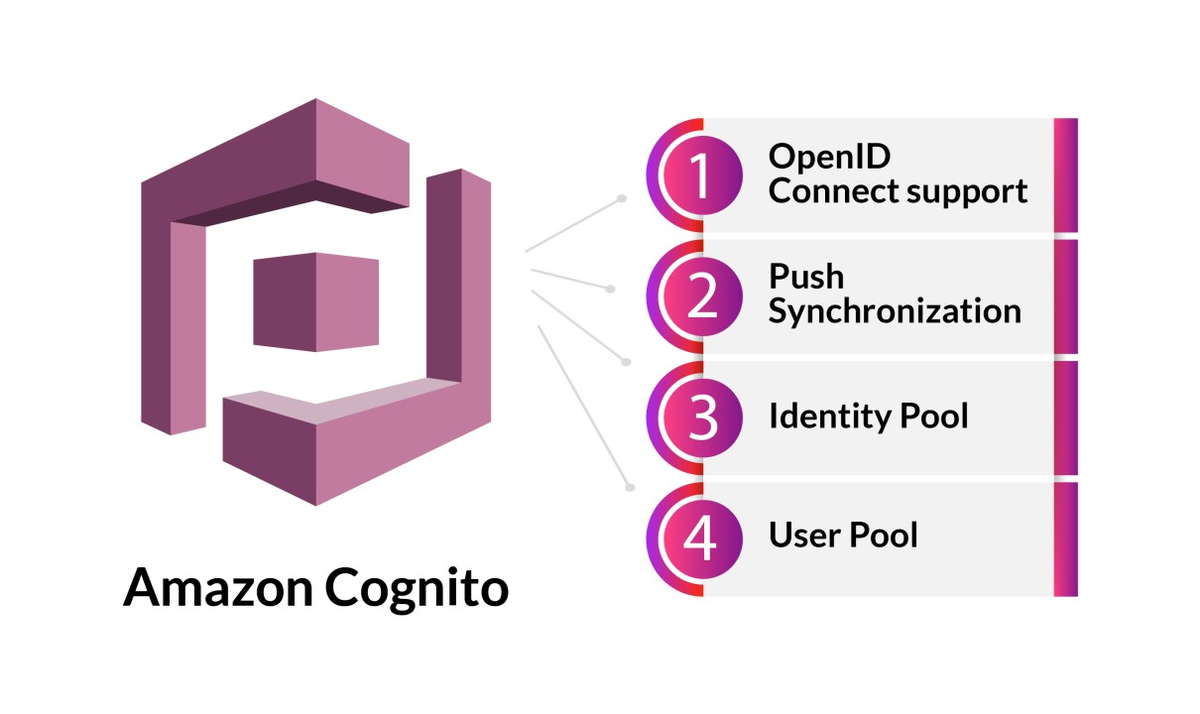
AWS Cognito is built around key concepts such as User Pools, Identity Pools, and Federated Identities. These elements serve as the foundation for user authentication, granting developers the flexibility to control user access and verify identities. It's crucial to grasp these fundamentals before delving into the automation of AWS Cognito.
Migrating Users and Groups Across AWS Accounts with AWS Cognito Automation
Prerequisites
Before embarking on the migration journey, ensure the following prerequisites are met:
- AWS Credentials: Configure AWS credentials for both the Source and Destination Accounts with the necessary permissions for AWS Cognito operations.
- Account Details: Obtain the User Pool ID of the AWS Cognito User Pool in both the Source and Destination Accounts.
Script Workflow
1. User and Group Migration
The automation script facilitates the seamless migration of users and groups by performing the following steps:
- Fetching the list of users and groups from the Source Account's AWS Cognito User Pool.
- Creating corresponding user accounts and groups in the Destination Account's AWS Cognito User Pool.
2. Password Reset for Users in Destination Account
To enhance security during the migration, the script sets temporary passwords for all users migrated to the Destination Account. This temporary password prompts users to reset their passwords upon the first login, ensuring a secure transition.
Fetching List of Users and Groups
This script uses the AWS SDK for Python (Boto3) to connect to the Cognito Identity Provider and fetch user data. It then creates a CSV file named "username_email_data.csv" with user attributes such as username and email. This CSV file can be easily imported back into an AWS Cognito User Pool.
import boto3
import csv

LIMIT = 60
REGION = 'us-east-1'
USER_POOL_ID = 'us-east-1_p2XXXXXXX'

client = boto3.client('cognito-idp', REGION)
pagination_token = ""

def get_list_cognito_users(cognito_idp_client, next_pagination_token='', Limit=LIMIT):
    return cognito_idp_client.list_users(
        UserPoolId=USER_POOL_ID,
        Limit=Limit,
        PaginationToken=next_pagination_token
    ) if next_pagination_token else cognito_idp_client.list_users(
        UserPoolId=USER_POOL_ID,
        Limit=Limit
    )

user_records = get_list_cognito_users(
    cognito_idp_client=client,
    next_pagination_token=pagination_token,
    Limit=LIMIT
)


user_data = [(user["Username"], user["Attributes"][1]["Value"]) for user in user_records["Users"]]

csv_file_path = "username_email_data.csv"
header = ["cognito:username", "name", "given_name", "family_name", "middle_name", "nickname", "preferred_username",
          "profile", "picture", "website", "email", "email_verified", "gender", "birthdate",
          "zoneinfo", "locale", "phone_number", "phone_number_verified", "address", "updated_at",
          "cognito:mfa_enabled"]


csv_data = [[username, "", "", "", "", "", "", "", "", "", email, "true", "", "", "", "", "", "false", "", "", "true"]
            for username, email in user_data]

with open(csv_file_path, mode='w', newline='') as file:
    writer = csv.writer(file)
    writer.writerow(header)
    writer.writerows(csv_data)

print(f"Data written to {csv_file_path}")
Create Groups and Assign Groups to Users in User pool
The management of users and groups within Amazon Cognito User Pools. The scripts are designed to be used in a scenario where users are first listed along with their associated groups, and then groups are created (if not already existing) and users are assigned to these groups.
- This script retrieves information about users and their assigned groups from an Amazon Cognito User Pool. It takes the User Pool ID and optional AWS region as input, and outputs a JSON file (output.json) containing the user details and associated groups.
import json
import boto3

def get_cognito_user_pool_users_and_groups(user_pool_id, region='us-east-1', output_file='output.json'):

    client = boto3.client('cognito-idp', region_name=region)

    result = {"UserPoolUsers": []}

    # List users in the user pool
    try:
        response = client.list_users(UserPoolId=user_pool_id)
        users = response['Users']

        if not users:
            print("No users found in the user pool.")
            return json.dumps(result, indent=2)

        for user in users:
            user_id = user['Username']
            user_data = {"Username": user_id, "Groups": []}

            # List groups for the user
            try:
                groups_response = client.admin_list_groups_for_user(
                    Username=user_id,
                    UserPoolId=user_pool_id
                )
                user_groups = groups_response['Groups']

                if user_groups:
                    for group in user_groups:
                        user_data["Groups"].append(group['GroupName'])
            except Exception as e:
                print(f"Error fetching groups for user {user_id}: {e}")

            result["UserPoolUsers"].append(user_data)

    except Exception as e:
        print(f"Error: {e}")


    # Write the JSON data to a file
    with open(output_file, 'w') as file:
        json.dump(result, file, indent=2)

    return f"Output written to {output_file}"


user_pool_id = 'us-east-1_abcXXXXX'


region = 'us-east-1'

output_message = get_cognito_user_pool_users_and_groups(user_pool_id, region)
print(output_message) - This script reads the JSON file generated by the above script and creates groups (if not already existing) in the specified Cognito User Pool. It then assigns users to their respective groups.
import json
import boto3

def create_groups_and_assign_users(user_pool_id, region='us-east-1', input_file='output.json'):
    # Read the JSON data from the file
    with open(input_file, 'r') as file:
        data = json.load(file)


    client = boto3.client('cognito-idp', region_name=region)

    # Iterate through the user and group information
    for user_data in data.get("UserPoolUsers", []):
        username = user_data.get("Username")
        groups = user_data.get("Groups", [])

        # Create groups
        for group_name in groups:
            try:
                client.create_group(GroupName=group_name, UserPoolId=user_pool_id)
                print(f"Group '{group_name}' created successfully.")
            except client.exceptions.GroupExistsException:
                print(f"Group '{group_name}' already exists.")

        # Assign the user to the groups
        for group_name in groups:
            try:
                client.admin_add_user_to_group(
                    Username=username,
                    UserPoolId=user_pool_id,
                    GroupName=group_name
                )
                print(f"User '{username}' added to group '{group_name}' successfully.")
            except Exception as e:
                print(f"Error adding user '{username}' to group '{group_name}': {e}")


user_pool_id = 'us-east-1_abcXXXxxXX'


region = 'us-east-1'

input_file = 'output.json'

create_groups_and_assign_users(user_pool_id, region, input_file)
The output.json file generated by the first script serves as input for the second script, so we have to ensure that it exists and contains the necessary user and group information.
Setting Temporary Passwords for All Users
This script automates the process of setting temporary passwords for all users in an AWS Cognito User Pool. This functionality is particularly useful in scenarios where users need to reset their passwords, offering a streamlined approach to manage user authentication.
import boto3

def set_temporary_password(user_pool_id, username, temporary_password):
    client = boto3.client('cognito-idp')

    try:
        response = client.admin_set_user_password(
            UserPoolId=user_pool_id,
            Username=username,
            Password=temporary_password,
            Permanent=False
        )
        print(f"Temporary password set successfully for user {username}")
        return response
    except Exception as e:
        print(f"Error setting temporary password for user {username}: {e}")
        return None


def set_temporary_password_for_all_users(user_pool_id, temporary_password):
    client = boto3.client('cognito-idp')

    try:

        response = client.list_users(
            UserPoolId=user_pool_id
        )


        for user in response['Users']:
            username = user['Username']
            set_temporary_password(user_pool_id, username, temporary_password)

        print("Temporary password set for all users.")
    except Exception as e:
        print(f"Error setting temporary password for all users: {e}")


user_pool_id = 'us-east-1_abcXXXXX"
temporary_password_for_all_users = 'XYZ-abc-2@23'

set_temporary_password_for_all_users(user_pool_id, temporary_password_for_all_users)
Conclusion
Automating AWS Cognito tasks with Python and boto3 significantly enhances the efficiency of managing user authentication and authorization. From creating user groups to exporting user data, this automation approach allows developers to focus on building feature-rich applications while ensuring a seamless and secure user experience.
Also Read
Related articles you might find interesting
Ingress Got You This Far — A Field Guide to Gateway API & HTTPRoute
Why platform teams are re-routing north-south traffic through the Kubernetes Gateway API, what HTTPRoute changes on the ground, and how to migrate without a big-bang rewrite.

AWS Graviton: High-Performance Compute with Energy Efficiency and Cost Savings
Automated ECS Deployment: Fargate or EC2, Make it easy with VirtueCloud
Hassle-Free ECS: Terraform Automation + CI/CD Pipeline