Leveraging GitHub Actions Docker Caching for Optimal CI/CD Performance
12/4/2023 • VirtueCloud
In the dynamic realm of software development, the efficiency of Continuous Integration/Continuous Deployment (CI/CD) processes plays a pivotal role in delivering high-quality software at speed. GitHub Actions has emerged as a leading automation tool, and when coupled with Docker, it becomes a powerhouse for containerized workflows. One of the key strategies for achieving optimal performance is leveraging Docker caching within GitHub Actions.
Understanding Docker Caching in GitHub Actions
Docker caching in GitHub Actions involves intelligently storing and reusing layers from previous builds, reducing redundant work and expediting the build process. This is especially crucial when dealing with containerized applications, where dependencies and build artifacts are encapsulated within Docker images.
Benefits of Docker Caching in CI/CD
Implementing Docker caching in your GitHub Actions workflows provides a host of advantages tailored to containerized environments:
- Accelerated Build Times: Docker caching significantly reduces the time it takes to build Docker images, as only the modified or new layers need to be processed.
- Cost Savings: By reusing cached layers, GitHub Actions consumes fewer resources, resulting in cost savings, particularly when running builds on cloud platforms.
- Consistency Across Environments: Docker caching ensures consistency across different CI/CD workflow runs, promoting reliability and predictability.
Configuring Docker Caching in GitHub Actions
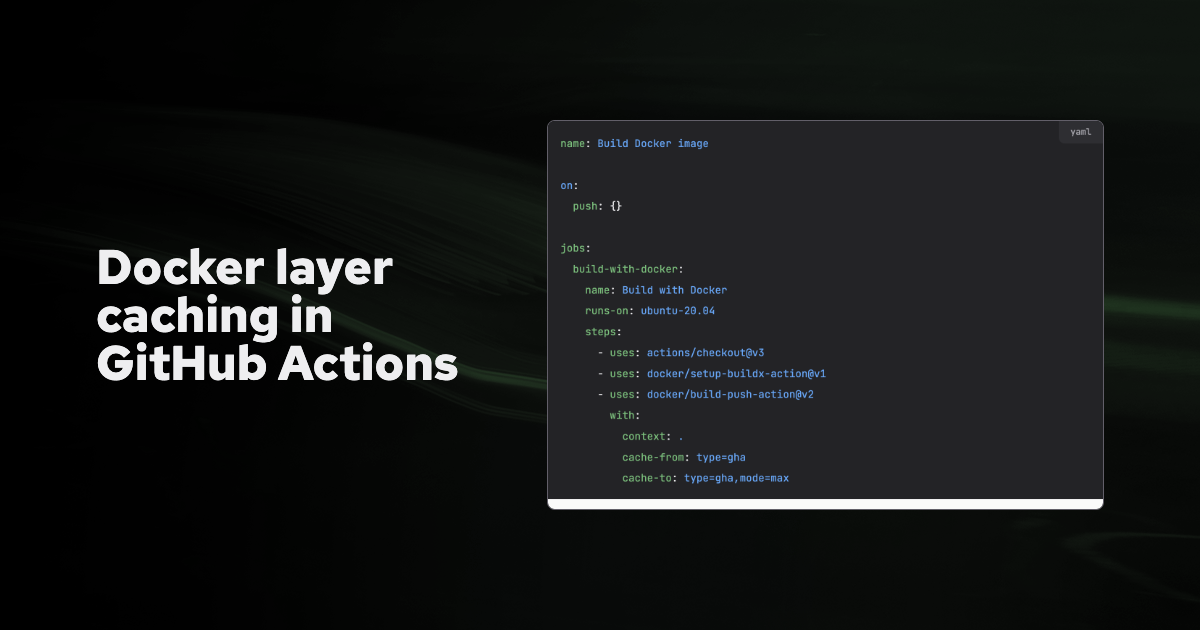
Let's delve into the practical aspect of incorporating Docker caching into your GitHub Actions workflows. Below is a sample CI/CD workflow YAML file with Docker caching integration:
The above example demonstrates a basic Docker build and push workflow. To incorporate caching, you can use cache-from and cache-to options in conjunction with the docker build command:
- --cache-from: This option specifies a list of images to consider as a cache source. If any of these images are already in the local Docker cache, they will be used as a cache source during the build.
- --cache-to: This option allows you to push the build cache to a specified image reference. This can be useful for sharing the cache between different builds.
Read more about Github Actions Docker Caching here. https://docs.docker.com/build/cache/backends/gha/
Best Practices for Docker Caching
To maximize the benefits of Docker caching, consider these best practices:
- Layer Ordering: Arrange your Dockerfile instructions thoughtfully to optimize caching. Place less frequently changing instructions near the beginning to maximize layer reuse.
- Multi-Stage Builds: Utilize multi-stage builds to create smaller, more efficient images. This not only speeds up builds but also results in more secure and lightweight production images.
- Leverage Build Args: Use build arguments in your Dockerfile to pass values dynamically. This can help invalidate the cache for specific instructions when needed.
Real-world Use Cases for Docker Caching
Let's explore real-world scenarios where Docker caching in GitHub Actions can make a significant impact:
Use Case 1: Dependency Management
In a Node.js application, caching dependencies using Docker layers speeds up subsequent builds, especially when the package.json file remains unchanged.
Use Case 2: Gradle Build
Caching the Gradle dependencies and build artifacts in a Java project ensures faster builds, particularly when the codebase hasn't changed.
Monitoring and Troubleshooting Docker Caching
While Docker caching enhances performance, monitoring and troubleshooting are essential. Leverage GitHub Actions insights to identify bottlenecks and optimize Docker cache utilization. Explore tools like docker history to inspect image layers and their sizes.
Conclusion
Docker caching within GitHub Actions is a game-changer for optimizing CI/CD workflows in containerized environments. By adopting best practices, configuring Docker caching appropriately, and learning from real-world use cases, developers can unlock the full potential of this feature. As you embark on your Docker caching journey, share your experiences, ask questions, and contribute to the collective knowledge of the developer community. Let's collaborate and continue to build faster, more efficient containerized workflows.
Have you experienced the positive impact of Docker caching in GitHub Actions for your containerized projects? Share your insights, challenges, or tips in the comments section below. Let's foster a community dialogue and propel our containerized CI/CD practices to new heights.
Also Read
Related articles you might find interesting
Ingress Got You This Far — A Field Guide to Gateway API & HTTPRoute
Why platform teams are re-routing north-south traffic through the Kubernetes Gateway API, what HTTPRoute changes on the ground, and how to migrate without a big-bang rewrite.
AWS Graviton: High-Performance Compute with Energy Efficiency and Cost Savings
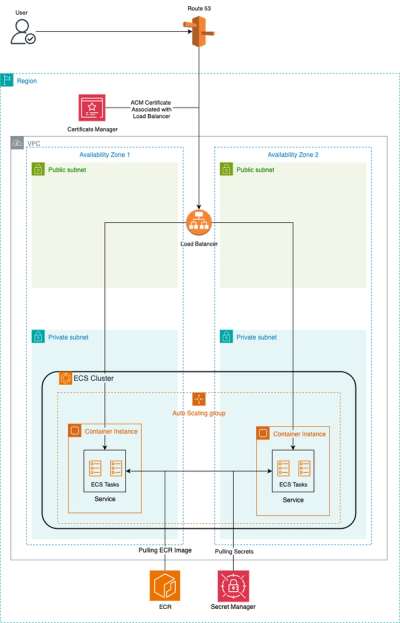
Automated ECS Deployment: Fargate or EC2, Make it easy with VirtueCloud
Hassle-Free ECS: Terraform Automation + CI/CD Pipeline