Deploy an EC2 instance using Terraform Cloud (HCP Terraform)
8/5/2024 • VirtueCloud
Introduction
Terraform HCP (HashiCorp Cloud Platform) is an application that helps teams use Terraform together. It manages Terraform runs in a consistent and reliable environment, and includes easy access to shared state and secret data, access controls for approving changes to infrastructure, a private registry for sharing Terraform modules, detailed policy controls for governing the contents of Terraform configurations, and more. This blog will introduce you to Terraform HCP, explore its features, explain the different workflows it supports, and guide you through setting up and configuring the platform.
Why HCP Terraform?
HCP Terraform offers several advantages that make it an appealing choice for managing your Terraform infrastructure:
- Managed Service: HCP Terraform provides a managed environment, reducing the need for manual setup and maintenance of Terraform servers. This allows you to focus on your infrastructure rather than the underlying infrastructure management.
- Secure State Management: It ensures that your Terraform state files are stored securely, preventing accidental exposure and corruption. This feature enhances the reliability and security of your infrastructure data.
- Collaboration and Governance: It supports team collaboration through controlled access and audit logs. This governance feature helps manage permissions and track changes effectively.
- Integrated Variable Management: With HCP, you can manage sensitive data and credentials efficiently through variable sets, ensuring secure and streamlined access across different environments.
- Scalability: This platform is designed to scale with your infrastructure needs, handling complex environments and large-scale deployments without compromising performance.
Types of Workflows HCP Supports
HCP Terraform organizes resources by workspaces, each containing resource definitions, environment variables, and state files. It supports three primary workflows:
1. CLI-Driven Workflow
In the CLI-driven workflow, you execute Terraform operations using Terraform’s standard CLI tools. HCP Terraform provides ephemeral remote execution environments to run these operations. Here’s what this workflow entails:
- Initiate Operations: You run Terraform commands in your Terminal to manage infrastructure.
- Remote Execution: HCP Terraform handles the execution of these commands in its secure environment.
- State Management: Also stores input and environment variables, along with the current and previous state files.
- Collaboration: This workflow supports collaboration by leveraging HCP Terraform’s stability and security while maintaining the familiar Terraform CLI experience.
2. VCS-Driven Workflow
The VCS-driven workflow integrates with version control systems to automate Terraform operations based on repository changes. This workflow includes:
- VCS Integration: Configure VCS access and link it to your workspace.
- Repository Association: Connect your workspace to a repository containing your Terraform configuration files.
- Speculative Plans: Set up the workspace to generate speculative plans for pull requests, allowing review of proposed changes.
- Automatic Runs: Merges to the main branch trigger Terraform runs to apply the changes to your infrastructure.
3. API-Driven Workflow
The API-driven workflow allows you to interact with HCP Terraform programmatically. This workflow is ideal for creating custom tooling and automating Terraform operations through HCP’s API. For detailed information, refer to HCP Terraform’s API Documentation.
How to Get Started with HCP Terraform
Setting Up an Account
- Sign Up: Go to the HashiCorp Cloud Platform website and create an account. Choose between free and paid plans based on your needs.
- Create an organization: After signing up, create an organization, Enter an organization name and email address. You can use the same email address that you used for your account.
- Create a Workspace: After setting up oranization, create a new workspace to manage your Terraform projects. Workspaces help organize different environments and configurations.
Configuring Terraform Through CLI Login
- Install Terraform CLI: Download and install the Terraform CLI from the official Terraform website.
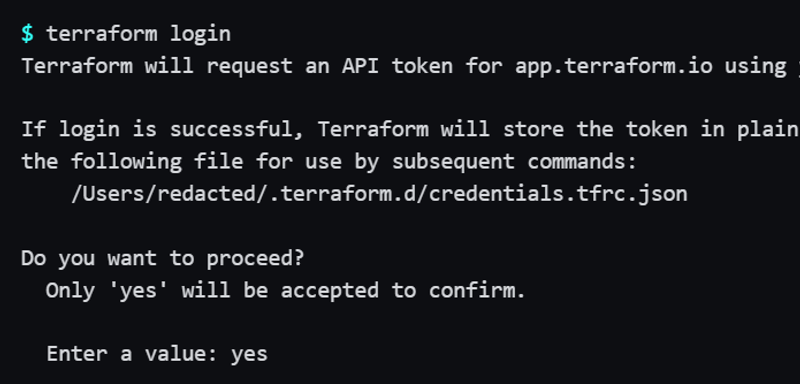
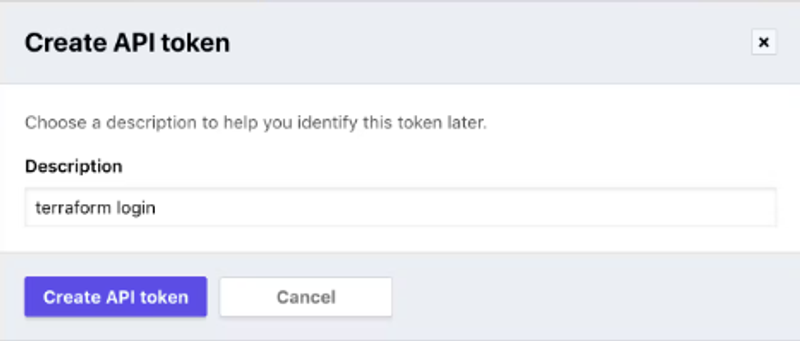
- Authenticate with HCP: Use the terraform login command to authenticate with HCP. Follow the prompt to open a URL and enter the provided token for secure login.
Managing AWS Credentials on HCP
Create a Credentials Variable Set
- Go to Variable Sets:
- Navigate to Settings > Variable Sets.
- Click Create variable set.
- Configure Set:
- Name it “AWS Credentials.”
- Choose scope (global or specific).
- Add AWS Credentials:
- Click +Add Variable.
- Add AWS_ACCESS_KEY_ID and AWS_SECRET_ACCESS_KEY as Environment variables. Mark as Sensitive.
- Finalize: Click Create variable set.
Your set will be listed and applied as per the chosen scope.
Provision an EC2 Instance using CLI-Driven Workflow
In this section, we will walk through the steps to create and provision an EC2 instance using HCP Terraform’s CLI-driven workflow.
Step 1: Create Terraform Configuration Files
Initialize Your Project Directory:
mkdir ec2-instance && cd ec2-instance Create a main.tf File:
provider "aws" {
  region = var.region
}

data "aws_ami" "ubuntu" {
  most_recent = true

  filter {
    name   = "name"
    values = ["ubuntu/images/hvm-ssd/ubuntu-focal-20.04-amd64-server-*"]
  }

  filter {
    name   = "virtualization-type"
    values = ["hvm"]
  }

  owners = ["099720109477"] # Canonical
}

resource "aws_instance" "ubuntu" {
  ami           = data.aws_ami.ubuntu.id
  instance_type = var.instance_type

  tags = {
    Name = var.instance_name
  }
}
Create a variables.tf File:
variable "region" {
  description = "AWS region"
  default     = "us-east-1"
}

variable "instance_type" {
  description = "Type of EC2 instance to provision"
  default     = "t2.micro"
}

variable "instance_name" {
  description = "EC2 instance name"
  default     = "My-EC2"
}
Create a terraform.tf File:
terraform {

  cloud {
    organization = "XYZ"

    workspaces {
      name = "HCP-EC2"
    }
  }

  required_providers {
    aws = {
      source  = "hashicorp/aws"
      version = "~> 5.31.0"
    }
  }

  required_version = "~> 1.2"
}
Create a outputs.tf File:
output "instance_ami" {
  value = aws_instance.ubuntu.ami
}

output "instance_arn" {
  value = aws_instance.ubuntu.arn
}
Step 2: Initialize , Plan and Apply Configuration
Initialize Terraform:
terraform initPlan Configuration:
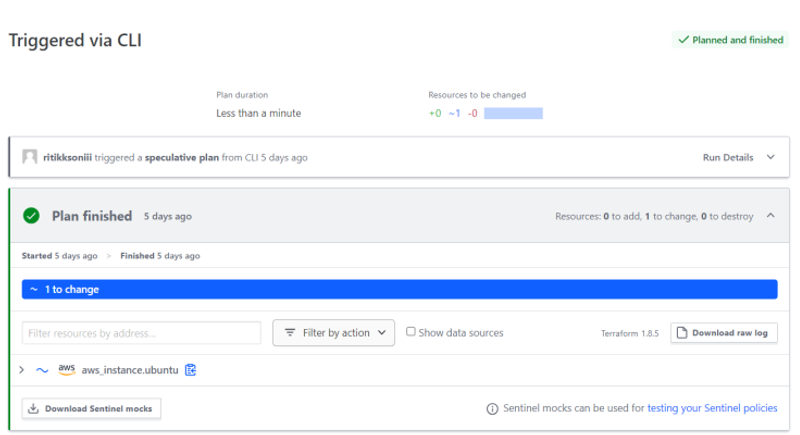
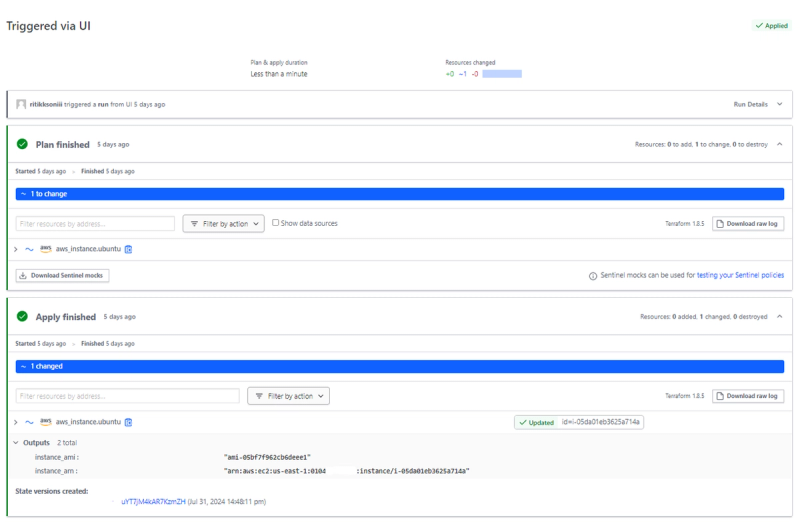
terraform planWhen you plan configuration, the complete terraform plan can be viewed on Hashicorp Terraform UI like this :
Apply Configuration:
terraform applyAfter you run terraform apply, For the CLI-driven workflow, you can approve the run either in the UI, or in your Terminal.
Step 5: Verify Your EC2 Instance
Check AWS Console:
Log in to your AWS Management Console.
Navigate to the EC2 Dashboard and verify that your new instance is running.
Pricing
- HCP Free Tier: The free tier provides basic features suitable for small-scale projects and experimentation, including limited concurrent runs, agents and upto 500 managed resources per month.
- HCP Standard: Standard plans offer advanced features such as enhanced collaboration, increased workspace limits, advanced security options, and enterprise support. Pricing varies based on usage and feature requirements.
Conclusion
HCP Terraform offers a robust, managed platform for infrastructure management, enhancing Terraform’s capabilities with features like secure state management, collaboration, and scalability. By supporting various workflows—CLI-driven, VCS-driven, and API-driven—HCP caters to diverse needs and preferences. Whether you opt for the free tier or a paid plan, It provides a comprehensive solution for efficient and secure infrastructure management.
Also Read
Related articles you might find interesting
Ingress Got You This Far — A Field Guide to Gateway API & HTTPRoute
Why platform teams are re-routing north-south traffic through the Kubernetes Gateway API, what HTTPRoute changes on the ground, and how to migrate without a big-bang rewrite.
AWS Graviton: High-Performance Compute with Energy Efficiency and Cost Savings
Automated ECS Deployment: Fargate or EC2, Make it easy with VirtueCloud
Hassle-Free ECS: Terraform Automation + CI/CD Pipeline